
Media Studios
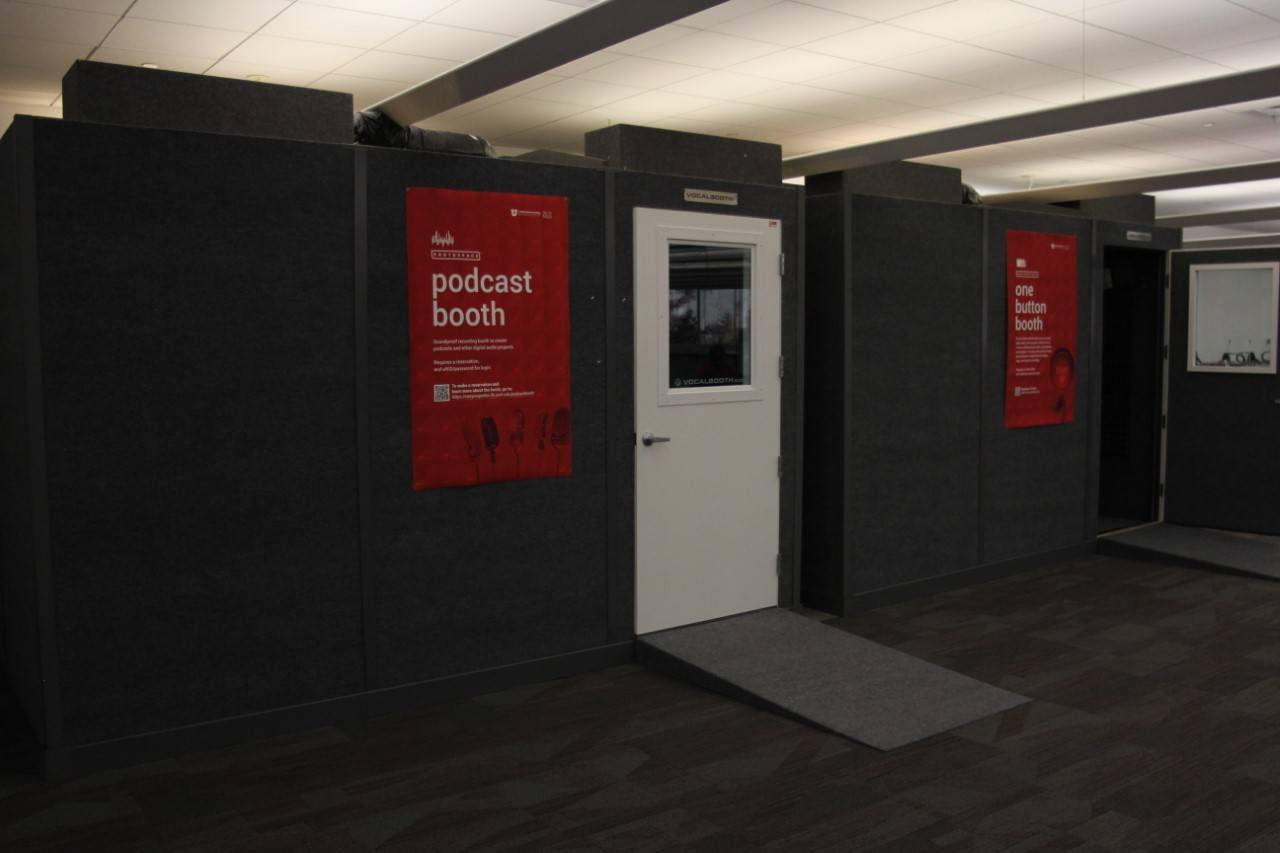
Podcast Booth (2750A and 2750B)
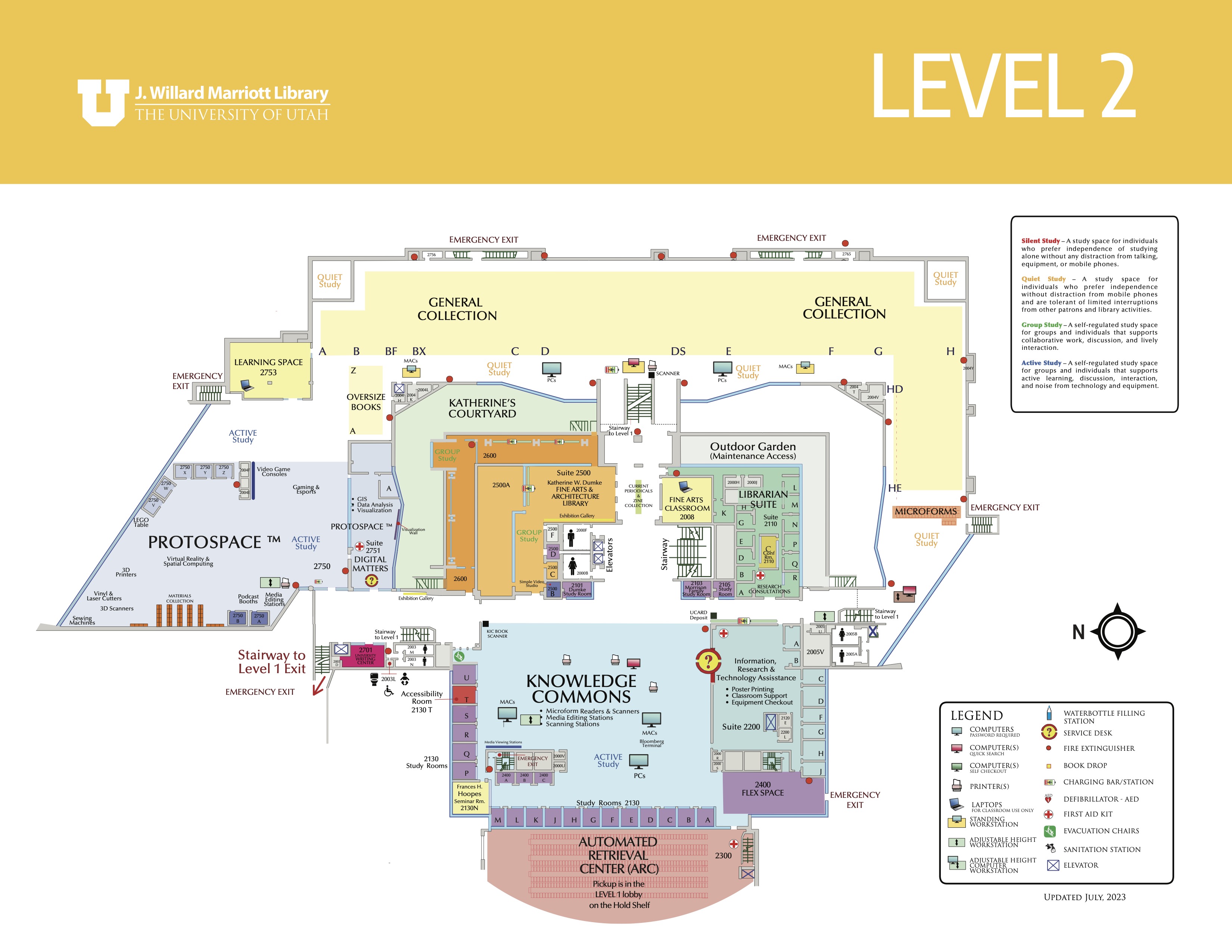
Location : Protospace, Level 2 - Marriott Library
Who Can Use: Current University of Utah Students, Staff, and Faculty
Availavility: Anytime the library is open
Reservation Required: Yes - via Library Scheduling System
Reserve:
Features
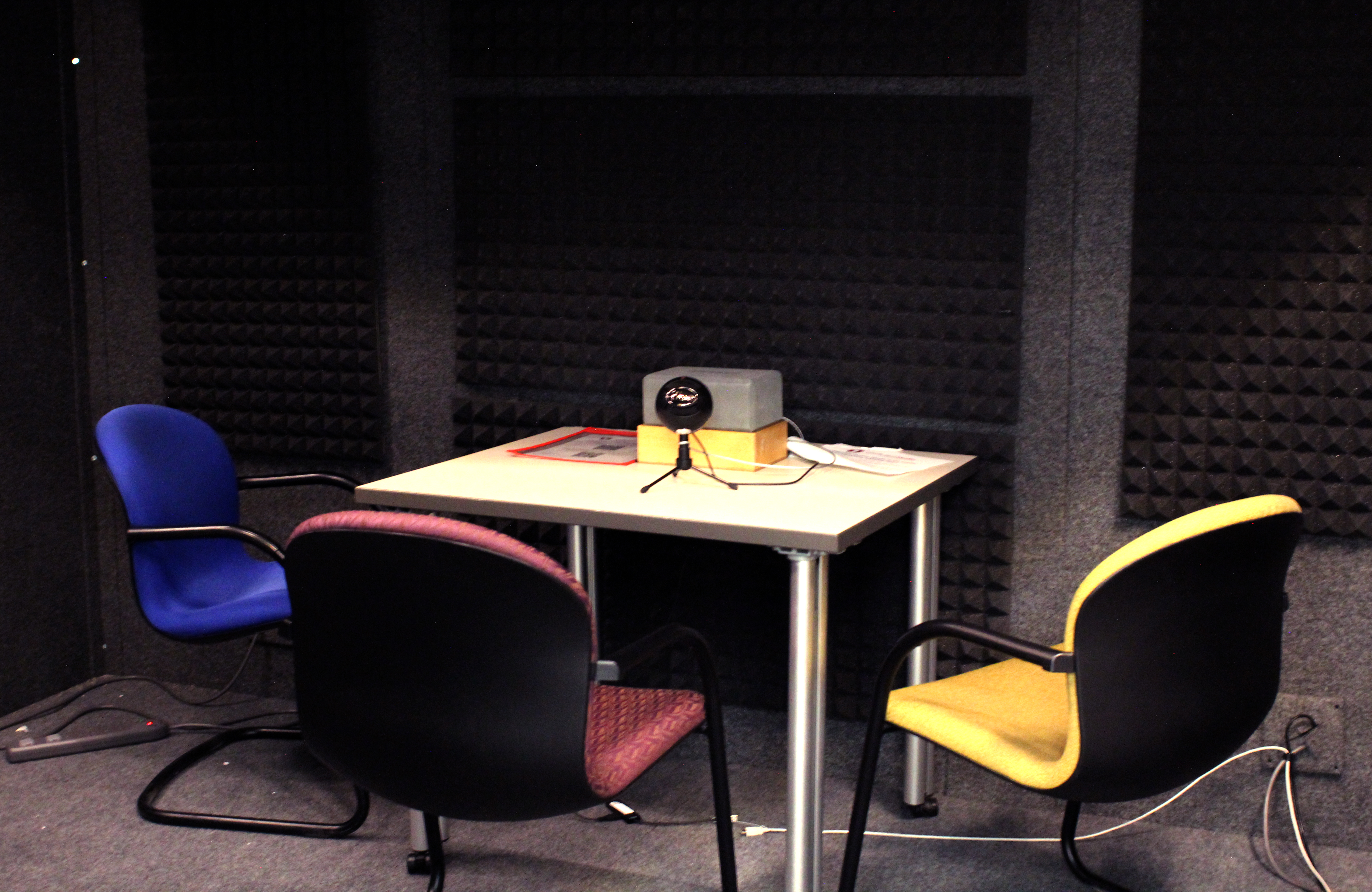
- Soundproof booth
- Mac computer with Audacity Software
- Snowball microphone on swing arm
- Export via cloud (UBOx, GOogle Drive, Dropbox) or external USB
- Notes: Files saved to Desktop are deleted in 24 hours
How to Use
- Turn on Lights - Switch is on floor lamp
- Log in - Use Unid and password
- Launch Audacity - Icon is in upper right corner
-
Check Mic Setup - Ensure:
- Green USB ends are connected
- Snowball red light is on (mic active)
- Audacity shows Blue Snowball and full mic volume
-
Record - Hit red button in Audacity
- Record 10 sec of quiet room tone for noise reduction at the end for editing
- Playback - Use spacebar to play/stop audio
-
- Waveform sound information will fill in the track in blue
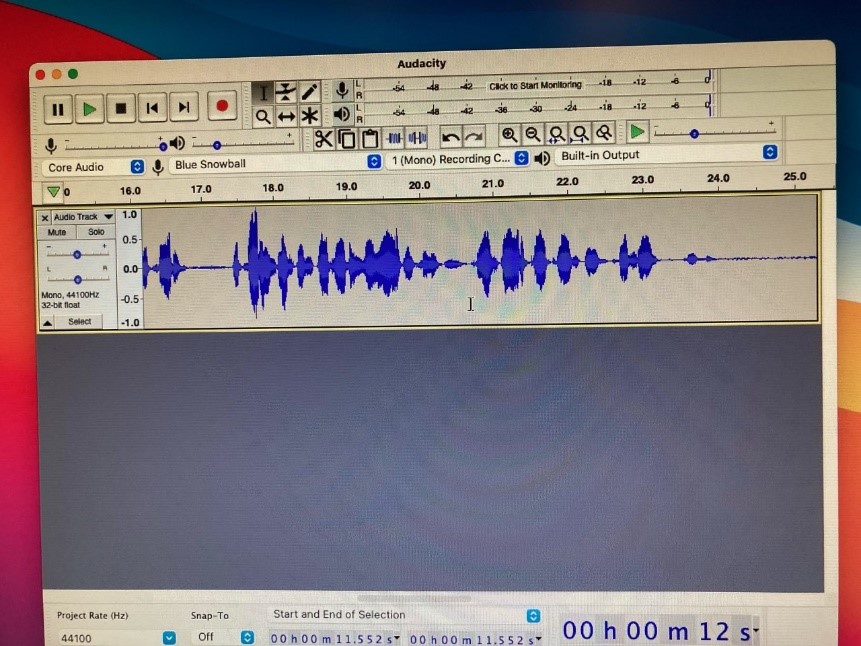
- Waveform sound information will fill in the track in blue
-
Export Audio - File > Export > MP3
- Save to external USB (plug into 4-slot drive on table) or upload to cloud
- Exit Steps - Log out, turn off monitor speakers, leave door open to air-out
An Audio Studio is also available in the Faculty Center on Level 1 of the Marriott Library.
Playback:
- Make sure the volume is turned up on the Mac (F11)
- Drop cursor point on waveform. Scrub backwards on the Audacity track to where you want to listen
- Press keyboard spacebar to play sample audio. Press again to stop.
Export your sound file:
- Audacity>File>Export>Export as MP3
- Options:
- External USB hard drive. Place cable into USB 4-slot drive velcroed to table
- DO NOT save to Desktop to retrieve later. Files are wiped within 24 hours
- Cloud sites: Export file to Documents folder. Open a web browser and upload to sites such as Ubox, Google Drive, Dropbox, etc.
Exit procedures:
- Logout of computer.
- Turn off monitor speakers.
- Leave door open to air-out the booth.
Podcast Kits
Do you want to record a podcast at another location? Check out a Podcast Kit from the Knowledge Commons Desk on Level 2.
Podcast Help and Mentorship
Immediate Help: Visit the Knowledge Commons Desk on Level 2
Email for input/troubleshooting the Podcast Booth. Available for consultations on podcasting, audio editing - simple and advantaged and provides mentorship as a music podcaster whose personal podcast has accrued 3 million minutes streamed.
NOTICE: The Simple Video Studio has replaced the legacy One Button Studio. It's still simple, but is no longer controlled by a single button.
The Simple Video Studio (MLIB 2500B) is located in the Fine Arts & Architecture Library.
Recording sessions, up to one hour long, are available anytime the library is open. Reservations must be made in advance. Use the Library's Room & Space Scheduler to reserve the Simple Video Studio.
Professional Video Recording
The Simple Video Studio in the J Willard Marriott Library is an easy-to-use video production studio that requires no prior video production experience.
The Simple Video Studio allows you to create high-quality and polished video projects without having to know anything about lights and cameras. You only need to bring a flash drive (portable USB drive) with you.
Studio Projects include:
-
- Creating videos for online instruction, such as MOOCs
- Creating videos for recruitment, training, or professional development seminars
- Creating ePortfolio materials or video essays
- Practicing your public speaking skills
- Using the green/blue screen to create visual effects
- Recording a group interview or podcast
- And many others...
- Access and Use of Audio, Video, and Simple Video Studios
How Does it Work?
1. Insert Flash Drive
2. On the Computer, use the touch screen prompt to turn on the lights
3. Touch screen prompt “Start Recording” to begin filming
4. When you have completed filming, press “Stop Recording”
5. Wait for the .mp4 file to write to your Flash Drive
6. Remove Flash Drive
7. Follow screen prompt to turn off the lights
The Marriott Library's Audio Studio assists the University of Utah community in integrating digital learning objects into curriculum/course and campus affiliated projects. It houses a soundproof Studio with professional microphones, digital recorder and the capacity for creating, recording and editing digital sound files. Matriculating Students, Staff and Faculty are eligible to use the Audio Studio.
Location
The Audio Studio is located within the Faculty Center, Room 1705-X, on Level 1 of the Marriott Library.
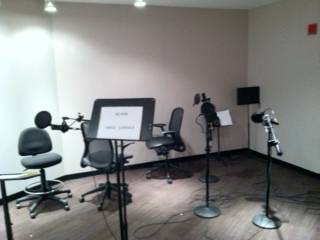
Performance Room, with microphones, of the Audio Studio
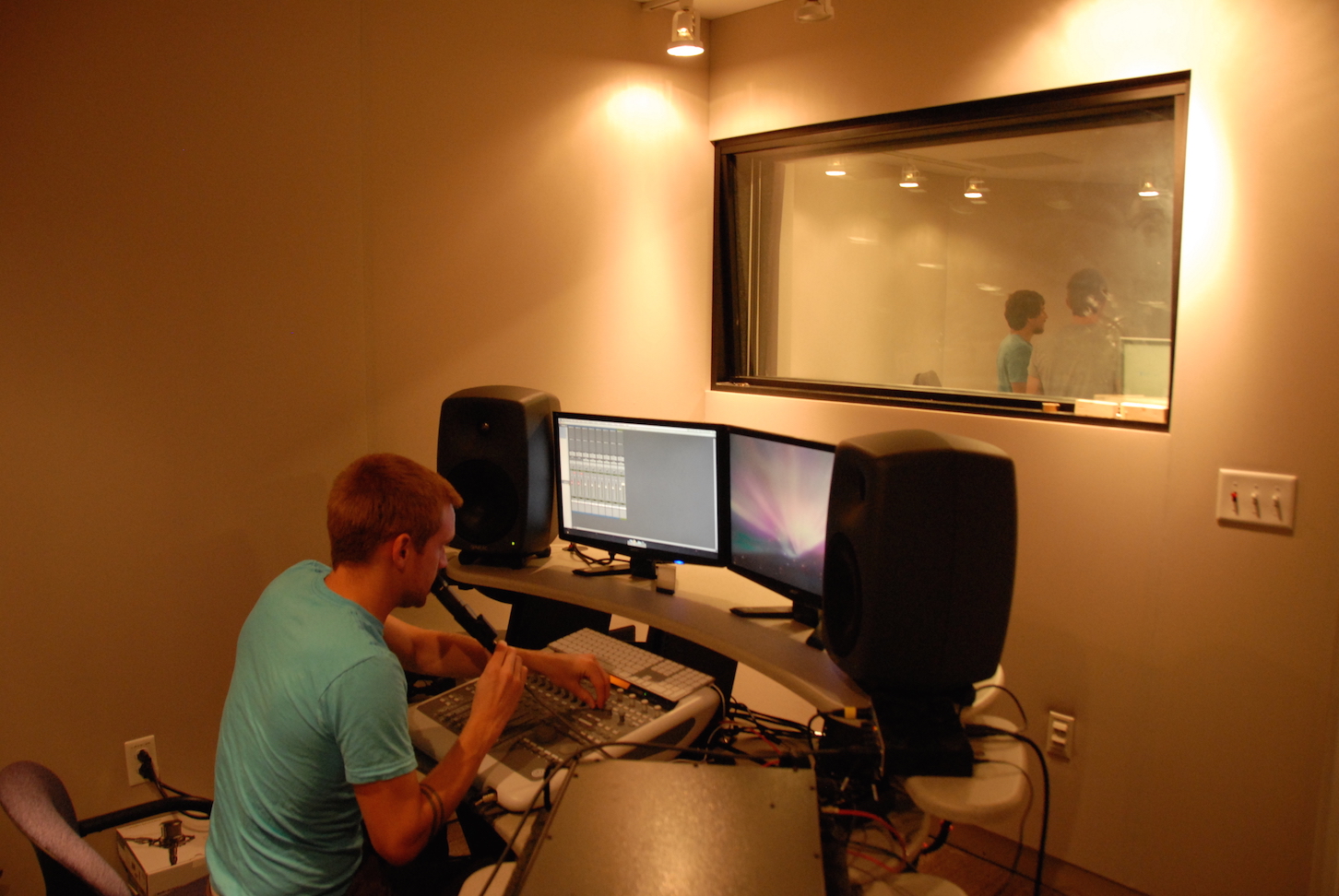
Students recording and engineering a School of Music performance
Set up a consultation
- Email to schedule a consultation
- Access can be arranged if you have your own equipment or just need access to the soundproof performance space
- Your files will be delivered via a flashdrive, external hard disk or cloud account
- Sound editing or (limited) post production assistance available
- Assistance, advice, and instruction is available for individuals, small groups or classes for: sound recording, research interviews, sound editing, and sound art projects
- Equipment includes: Audio Technica 2050 microphones (4); PreSonus 192 Audio Interface; PreSonus Faderport 8 Control Surface; Adobe Audition Digital Recorder.
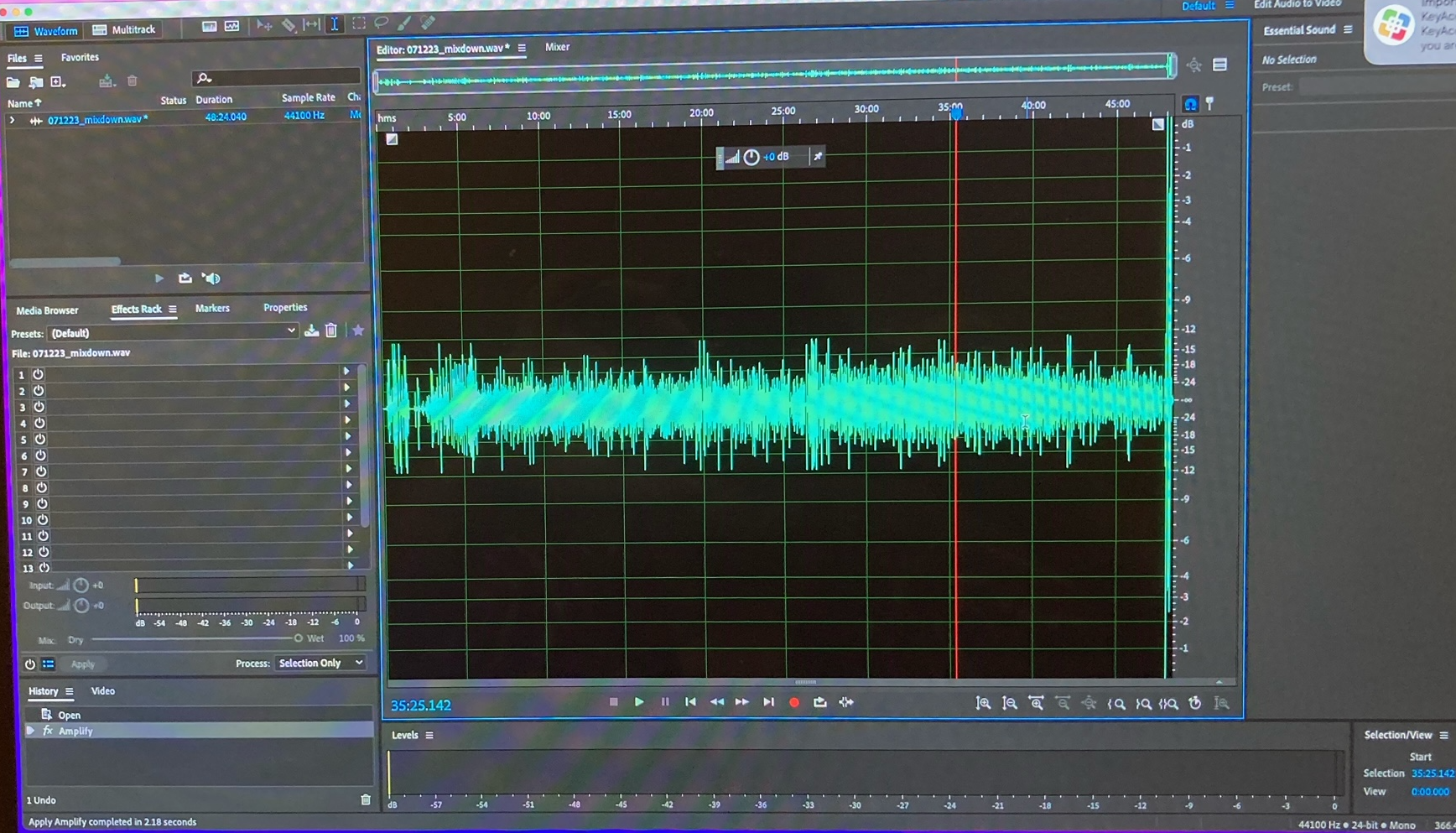
U Rising podcast with Nobel laureate Dr. Mario Capecchi, recorded in the Audio Studio July 12, 2023
Types of Audio Recording Projects
- Podcasts for Students, Staff & Faculty
- Interviews, Focus Groups, Oral Histories
- Digital Storytelling & Documentary Film Narration
- Campus marketing projects
- Public Service Announcements, Tape-Synch recordings for Public Radio broadcasts
- Poetry, Spoken Word, Drama & Theater Auditions
- Automated Dialogue Recording for Student Films
- Anime, Machinima and Video Game Audio/EFX/Soundtracks
- PowerPoint/Slide Show Narration
- Landline phone access for remote interview capability
- Sound Art
Podcast Booths
The Audio Studio is in a faculty space with limited weekday hours. It also requires arrangement with Media Studios personnel for most use.
This led to the establishment of two Podcast Booths:
The Podcast Booths are user scheduled, soundproof recording facilities located in Protospace on Level 2
Users can record audio using a Snowball microphone and Audacity digital audio recorder.
Podcast Kits
To faciliate remote media creation, the Marriott Library purchased 9 podcasting kits: a Snowball USB microphone and hard plastic carry case. Check-out is available at the Knowledge Commons Desk, Level 2 Marriott Library. Students can check them out for 30 days. Staff, Faculty, and University Affiliates can check out equipment for 24 hours.
Schedule the Video Studio by emailing robert.nelson@utah.edu.
The Video Studio
The Video Studio is a special projects space located in the J Willard Marriott Library to allow for the creation of experimental visual projects, learning objects, oral histories, or general interviews. The Video Studio can provide in-depth project consultations helping to guide the integration of visual media into your project.
For another option of video recording, check out the Simple Video Studio. The Simple Video Studio is a fully automated video studio that only requires a flash drive. It is great for single person presentations or one on one interviews.
Expertise
The Video Studio can help you film, edit, and distribute your projects. Help is available on a wide range of equipment and topics.
- Project Consulting
- Production & Instructional Design
- Cinematography
- Lighting
- Sound
- Editing/Post-production
- On Location or in the Studio
- Teaching/Workshops
Mission
The Video Studio has a continuing mission to support students and faculty by providing training, project management, and access to high quality equipment.
Contact
Robert Nelson, Media Studios Librarian
Associate Librarian
801-581-5228
Email
Questions, Comments, & Consultations
Related Links
Access and Use of Media Studios media production studios
Creativity and Innovation Services
Creativity and Innovation Services Blog