
Knowledge Commons
General Information and Services
- Located on Marriott Library Level 2
- Main service desk for research and technology assistance
- Equipment and devices available for checkout
- Printing, scanning, and software support
- Laptop and mobile device configuration
- Group study rooms and classroom support
Computer Labs
Mac and Windows computers are available in three open labs across campus. To sign into these computers use your University credentials (uNID and University password).
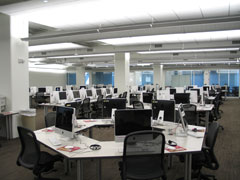
Knowledge Commons
Marriott Library Level 2
Hours: See Marriott Library hours
Workstations: 160
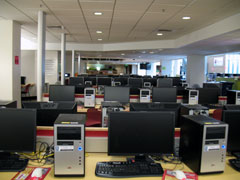
Union
University Union basement
Hours: See University Union hours
Workstations: 34
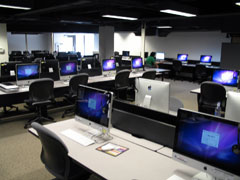
Benchmark
Benchmark Plaza #820
Hours: Resident UCard access, 7am–midnight daily
Workstations: 18
Software
-
 Our computers have over 200 software titles available for web and graphic design, media editing, statistical analysis, 3D modeling, and more.
 - Open Self Service (Mac) or Software Center (Windows) to install available software. If you are using Software Center off campus, you may need to connect to the Campus VPN first.
- Students can get access to Adobe Creative Cloud, and Microsoft Office 365 on their personal laptops. Assistance is available at the Knowledge Commons desk.
Printing and Scanning
- Standard black and white and color printing is available in all labs or from personal laptops. The Knowledge Commons also has 11"x17" printing and poster printing up to 42" wide on matte or semigloss paper.
- Flatbed scanners are available in all labs. In the Marriott Library you can find scanners for stacks of pages, books, film, microfilm, and large format items up to 36" wide.
Student Checkout Equipment
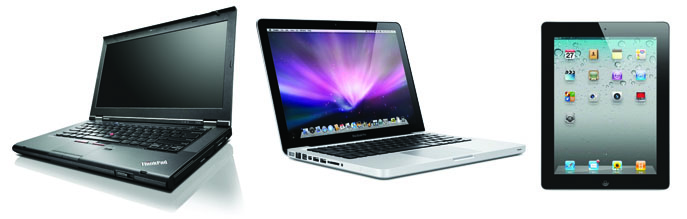
Technology equipment is available to students enrolled in courses. View our full list of available checkout equipment. All loans are limited to 24-hours for staff, faculty, and university affiliates.
How to Get Equipment:
Equipment is available on a first-come-first-serve basis. You can contact the Knowledge Commons to verify availability, or you can check the Library Catalog.
-
In-Person Checkout:
- Visit the Knowledge Commons desk, Level 2 of the Marriott Library during open business hours.
-
Online Checkout Requests:
- Requests are monitored Monday - Friday, 8 AM - 5 PM
- Students can request equipment through the Library Catalog. You will be notified by email when the item(s) are ready to be picked up from the Level 1 Library Information Desk. Equipment will remain on hold shelf for 7 days.
- Home Delivery is available for physical items that circulate for more than 14-days to students enrolled in a degree or certificate-granting program at the University of Utah, and living more than 75 miles from the University of Utah campus. You can view the Home Delivery Policy for additional information.
Renewals:
All Knowledge Commons equipment, except for laptops, will automatically renew 7 days before the due date unless there is a waitlist. You can also request renewals from your Library account.
Renewals are subject to the policies below:
- Renewals are subject to availability and whether there are no requests for the item. If the equipment does not automatically renew, or you cannot renew the item from your Library account, return the item by its due date to avoid accuring late fees or suspension of your circulation privledges.
- Laptops cannot be renewed. Patrons must return their laptop before they are able to check out another laptop. A different laptop can be checked out immediately upon the return of a laptop. Students can back up their files on box.utah.edu which is a free online storage for all University of Utah student, faculty, and staff.
- Priority is given to students. For staff, faculty, and university affiliates, all renewals must be in-person with the item present.
Technology Assistance
-
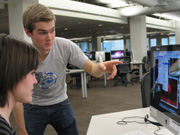 Student workers in our computer labs can assist with a variety of issues, including setting up mobile devices for UConnect and UMail, using the software in our labs, printing and scanning, and other technology questions.
Classrooms and Study Rooms
-
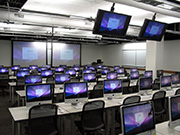 We support the computers and media equipment in the library's classrooms and study rooms. Many of the study rooms have an screen for connecting a laptop. Schedule a study room online.
Contact
Knowledge Commons
801-581-6273 Mac Feedback
Windows Feedback
Related Links
Answer U
Reference resources
Writing Center
Technology Links
Box Cloud Storage
CSBS Computing Guides
Research Computing Support
Office of Software Licensing
Campus VPN Installation